


Inmate Inbox
4.2207.00 Reviews
App Specs
- Version
- 4.16
- Updated On
- License
- Free
- Downloads
- 100,000+
- Developer
- Inmate Inbox
- Categories
- Communication
- Platform
- Android
Screenshots
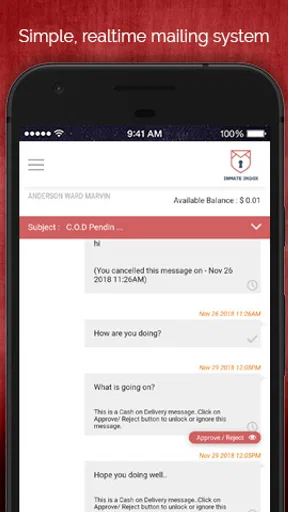
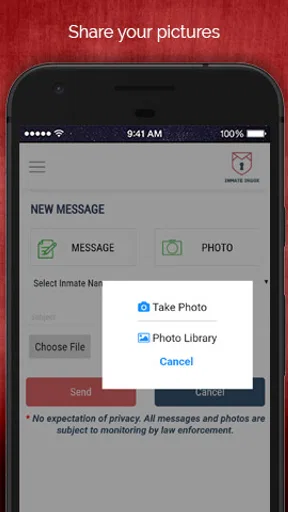
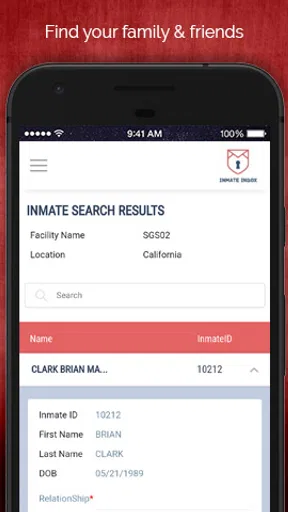
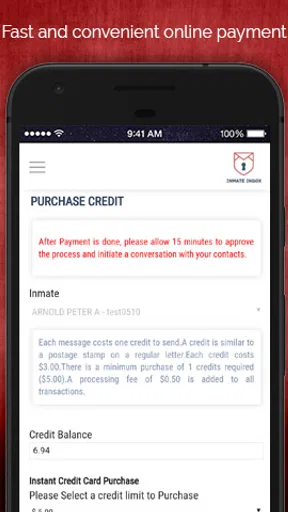
 Analysis by AppCompare
Staying in touch with someone in custody is not the same as sending an ordinary text message. The process can involve approved contacts, account setup, message delivery rules, and paid communication credits, so the right app needs to reduce confusion rather than add another obstacle. After spending time with Inmate Inbox, I see it as a focused communication app from Inmate Inbox for families and friends who need a practical way to maintain contact with an incarcerated person.
My first impression was that the app has a very specific purpose. It is not trying to replace every messaging service on a phone, and it is not useful simply because it is another chat client. Its value depends on whether someone close to you uses the communication system supported by the service. When that situation applies, the app can become a regular part of your routine. When it does not, there is little reason to keep it installed.
From a promising first week to a lasting communication habit
I look at lasting use as a question of fit, not simply whether the first messages go smoothly. A small routine can make communication easier to sustain, but it should also leave room for busy days and changing family responsibilities. The next section considers what helps turn an initially useful tool into a habit without letting it become another source of pressure.
Why the first setup feels worthwhile
The first week is when the app makes its strongest case. Instead of treating communication with an incarcerated family member as an occasional administrative task, it gives that relationship a dedicated place on your phone. I found that focus useful because it keeps the purpose clear: open the app, deal with the available communication workflow, and return to normal phone use without mixing the conversation into unrelated social feeds.
That narrow focus is also the first important trade-off. With a conventional messaging app, both people generally understand the same interface and can exchange messages immediately. Inmate communication works differently, so the app should be approached as part of a larger process rather than as a normal instant messenger. A new user should expect to spend time making sure the recipient, account details, and communication steps are correct before relying on it for an important message.
I would recommend beginning with a short, low-pressure message rather than trying to solve every family issue in the first exchange. This is a practical way to learn how the service handles sending, waiting, and replies. It also prevents a common mistake: assuming that a message sent through a phone app will behave like a text delivered to another smartphone.
Who gets the most from it
The best fit is someone who has an ongoing relationship to maintain: a parent, partner, sibling, close friend, or relative who wants a dependable communication routine. The app is particularly sensible for people who prefer having conversations organized around one contact or one family situation instead of searching through a general-purpose inbox.
Worth Reading Before You Choose

EA SPORTS FC Mobile 26 Is a Bigger Football Game, but It Takes Time

Flipboard Shows What News Apps Must Do Beyond the Feed

Switching to Android Auto Means Rethinking Your Driving Routine

Google Calendar Makes a Crowded Week Easier to Manage

Ludo King Makes the Most of the Minutes Between Plans

Baby Panda World Brings Quick Play to Modern Phones, but Its Game Library Feels Busy
It can also help relatives who are coordinating communication across a household. For example, one person can take responsibility for checking the app and sharing relevant updates with other family members through their usual channels. That avoids several people independently trying to manage the same conversation and wondering whether a message has already been sent.
I would be more cautious about recommending it to someone who only needs to send one occasional note, or to a person who has not confirmed that the intended recipient can use the service. In those cases, the setup effort and possible paid communication costs may outweigh the convenience. A normal phone call, postal letter, or an officially supported alternative may be a better choice depending on the facility and the recipient’s access.
What the early experience teaches you
The app’s first-week appeal comes less from novelty than from clarity. It gives a family member a recognizable destination for a sensitive task. I also like that its audience is easy to understand: this is a communication tool, not a broad social network. That makes it easier to decide whether it belongs in your daily life.
Still, I would not judge it after a single successful message. The real test is whether it remains useful when replies are delayed, conversations become repetitive, or the initial urgency fades. Communication apps for this situation need to earn their place through consistency, not through a polished first launch.
How it compares with ordinary messaging options
Compared with standard messaging apps, Inmate Inbox is more specialized but less flexible. Mainstream services are usually better for fast back-and-forth conversations, group chats, media sharing, and contact discovery among people who already use the same platform. They are also familiar, which reduces the learning curve.
The advantage here is relevance. A general messenger cannot solve the particular access problem faced by families communicating with someone in custody. Inmate Inbox is aimed at that gap, so its usefulness is measured by whether it supports this specific relationship rather than by how many social features it offers.
That distinction matters when choosing a download. If your contact already has a reliable approved channel that works well, adding this app may create another place to monitor. If the app is the practical route available to your family, its specialization becomes the reason to use it.
Month-to-month value comes from routine
After the first few weeks, the question changes from “Can I use this?” to “Will I continue using it?” In my experience, the answer depends on building a simple habit. Checking at a sensible time, writing down anything that needs a thoughtful reply, and keeping expectations realistic makes the service feel more manageable than repeatedly opening it in search of an immediate response.
A useful workflow is to prepare messages in a notes app first when the subject is emotional or complicated. I can then reread the wording, remove anything unclear, and paste a final version into the communication process. This is especially helpful when the app is being used for family updates, practical arrangements, or encouragement that deserves more care than a rushed sentence.
Another worthwhile habit is keeping a small record of what has already been discussed. That does not require a complicated spreadsheet. A private note with dates, questions, and promised updates can prevent me from asking the same thing repeatedly or forgetting an important detail. It also makes the conversation feel more continuous when replies do not arrive in the same rhythm as ordinary texting.
These habits are not flashy features, but they are where the app’s recurring value appears. The software provides the communication channel; the user supplies the organization. People who want an effortless, instant chat experience may find that disappointing. People who are willing to treat contact as a scheduled responsibility may find the focused design worthwhile.
Costs and the decision to keep using it
The app is free to install, although in-app purchases range from around seven dollars to twenty dollars per item. That makes the financial side important when deciding whether it deserves a permanent place on your phone. I would not treat the free download as proof that ongoing communication will cost nothing. Before committing to frequent use, I would review each purchase carefully and make sure I understand what it enables.
This is also a reason to plan messages rather than sending several partial thoughts. Combining related updates into one clear communication can be more sensible than repeatedly opening the app and paying for separate actions, although the best approach depends on how the service handles communication. The broader lesson is simple: think about the purpose of each message before sending it.
Families may also want to agree on who handles purchases and account activity. A shared approach avoids duplicated spending and gives everyone a clearer idea of what has already been done. I would keep receipts and confirmation details in one private place, especially if several relatives contribute to the cost.
Maintenance is light, but attention is still required
On the technical side, the app supports devices running Android 7.0 or later, and the current version is 4.16. That makes it accessible to people using older Android phones, though I would still keep the operating system and app updated when updates are available through the normal store process. An older phone may be perfectly adequate for this kind of communication, but reliability matters more than having the newest device.
The larger maintenance burden is administrative rather than technical. You need to keep contact information accurate, remember which account is being used, monitor any purchase-related steps, and check the app often enough not to miss a meaningful message. If you change phones or share responsibility with another family member, documenting the basic workflow can save time later.
I also recommend separating emotional urgency from technical urgency. If a message does not appear immediately, repeatedly tapping buttons or reinstalling the app may not solve the underlying issue. First check the account and recipient details, then review any status or instructions shown by the service, and only afterward consider contacting support or the relevant communication provider. That order prevents needless troubleshooting.
Small frictions that become more visible over time
The first source of fatigue is waiting. Anyone accustomed to instant messaging may feel uneasy when a message does not produce a quick reply. The app cannot make the broader communication process behave like a normal chat, so users need patience and a backup plan for urgent matters. I would never rely on it as the only route for time-sensitive information.
The second is repetition. Keeping a relationship alive through messages can become emotionally demanding, especially when family news, encouragement, and practical updates need to be rewritten in a way that works within the available communication process. The app is useful, but it does not remove the work of maintaining a meaningful conversation.
The third is cost awareness. Paid items can make casual experimentation less comfortable, particularly for users who are unsure whether the recipient will be able to respond. I would start with a modest communication plan, learn the workflow, and only increase spending once the service has proved dependable for your particular situation.
There is also the risk of notification fatigue. If I check too often, the app starts to feel like another source of anxiety. If I check too rarely, I may miss the moment when a reply matters. A scheduled check-in works better for me than keeping the app open throughout the day.
When another option is better
Inmate Inbox is not the right choice for every communication need. Someone looking for a broad social experience, group conversation, video calls, or a replacement for everyday texting should use a service designed for those purposes. This app’s specialized role is its strength, but it also defines its limits.
I would also look elsewhere when the recipient’s facility or communication arrangement does not support the service. In that situation, installing the app first and investigating later can create frustration. Confirming the practical route with the relevant institution or contact is a better starting point than assuming that a dedicated app will work everywhere.
For families already using another approved method successfully, the decision is more nuanced. Switching may not be worth the effort if the existing option is affordable, dependable, and easy for everyone involved. The app becomes more compelling when it solves a real access or organization problem rather than merely offering another inbox.
Does it earn lasting space?
My long-term verdict is cautiously positive. Inmate Inbox earns a place on my phone when it is the appropriate channel for staying connected with someone in custody and when the household is willing to maintain a regular, organized routine. Its value is practical and personal: it gives an important relationship a dedicated communication path.
I would not call it a universally convenient messenger. The possibility of paid items, the need for patience, and the ongoing responsibility of checking details all matter. Those limitations become less troublesome when communication is planned, but they can feel heavy for someone expecting instant, unlimited conversation.
The app has been available since May 25, 2018, and its continued presence is more meaningful to me as a sign of a defined use case than as a reason to install it automatically. It has attracted over one hundred thousand installs and holds a 4.2 average from around seven hundred ratings, which suggests that many users find the service useful, while still leaving room for individual experiences to differ.
It is free to download, rated Everyone, and developed by Inmate Inbox, so the basic barrier to trying it is low. My advice is to install it only after confirming that it fits the recipient’s communication situation, then test the workflow with a carefully written first message. If it works reliably, build a modest habit around it. If it adds confusion or expense without improving contact, a different approved method will serve you better.
The lasting strength of Inmate Inbox is not excitement; it is the chance to make an important connection easier to remember and maintain. For the right family, that is enough to justify keeping it. For everyone else, its narrow purpose is a clear signal to skip it rather than force it into a communication routine it was never meant to handle.
Pros
- Makes secure communication with incarcerated contacts more convenient.
- Supports sending messages without relying on traditional postal mail.
- Can help families maintain regular contact from a distance.
- Digital delivery may be faster than standard letters.
- Useful for organizing communication in one dedicated app.
Cons
- Availability depends on the correctional facility’s participation.
- Messages may be reviewed or delayed by facility staff.
- Fees may apply for messages
- attachments
- or other services.
- Recipients may have limited access to replies or app features.
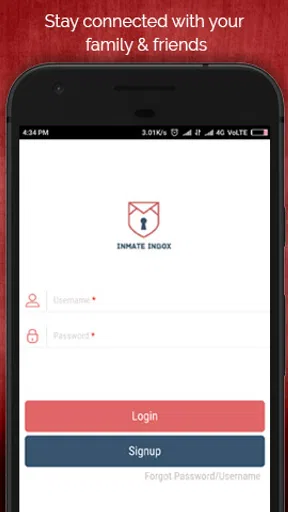
- Account setup can require personal and inmate identification details.
FAQs for Inmate Inbox
What is Inmate Inbox, and what is it used for?
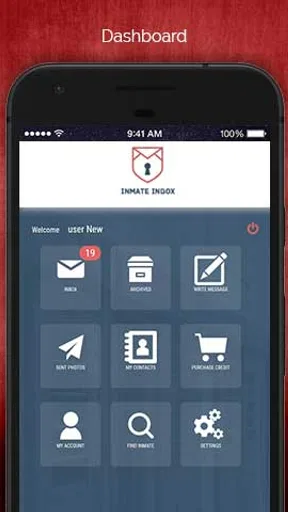
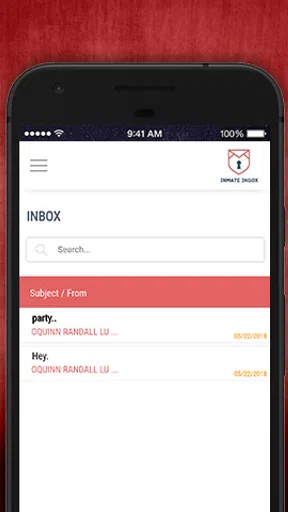
Inmate Inbox is a communication-focused app designed to help people exchange messages and other permitted content with incarcerated individuals, depending on the facilities and services supported in your area. After installing it, users can typically create an account, locate an eligible inmate or correctional facility, and manage conversations through the available messaging features. Availability and functionality may vary by institution.
How do I create an account and find an inmate on Inmate Inbox?
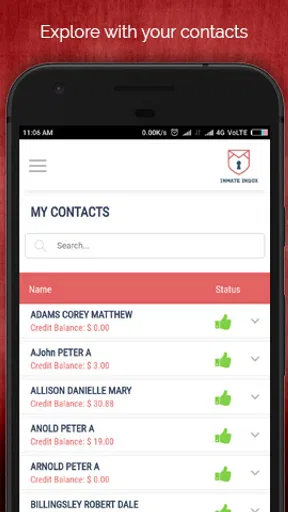
To get started, you generally need to register with basic personal information and verify your account according to the app’s requirements. You can then search for an inmate using details such as their name, identification number, or correctional facility. Search results and contact options depend on the participating institution, so an inmate may not appear if the facility is unsupported or the information entered is incomplete.
Does Inmate Inbox charge money for messages or other services?
Some features in Inmate Inbox may require payment, including sending messages, attaching approved media, purchasing credits, or using additional communication services. Prices can differ according to the facility, message type, and selected options. Before confirming a transaction, carefully review the displayed cost, payment terms, and any applicable restrictions, since fees may not be refundable after submission.
Are messages and attachments on Inmate Inbox reviewed or restricted?
Yes, users should expect communications to be subject to institutional rules, security screening, and possible approval by correctional authorities. Messages, photographs, and other attachments may be delayed, rejected, removed, or withheld if they violate facility policies. Avoid sending prohibited material, confidential information, or content that could create safety concerns, and check the relevant facility’s communication guidelines before using the app.
Is Inmate Inbox available for every correctional facility and on both Android and iOS?
Inmate Inbox availability depends on the correctional facilities and communication providers supported by the service. Not every institution, inmate, or region will necessarily be included, and features may differ between locations. Before downloading, check the current Google Play or App Store listing, confirm that your facility is supported, and review device, operating-system, account, and internet requirements for reliable access.


